
What I Use in Excel Every Day
A beginner-friendly guide to the Excel tools used in real offices, with a story, a plain explanation, a picture and a hands-on exercise in every chapter.
PDF ebook, 176 pages, plus a practice workbook. Written for Microsoft 365 on Windows. Educational content. Results vary. No guarantees.
Most Excel help assumes you already know Excel.
Videos move too fast. Articles skip steps. You end up copying a formula you do not understand and hoping it works.
This book goes the other way. It begins with what a cell is, then builds up one small idea at a time, using everyday examples: household expenses, student marks, a shop bill, daily sales, an attendance sheet.
Everything is explained in plain English, and you practise on real files as you read.
The tools people actually use.
- Enter, edit and format data without fuss
- Write your first formulas and understand cell references
- Use everyday functions: SUM, IF, XLOOKUP, SUMIF and more
- Sort, filter and clean a messy list
- Build Tables, charts and beginner PivotTables
- Print, protect and share your work, and save time with shortcuts
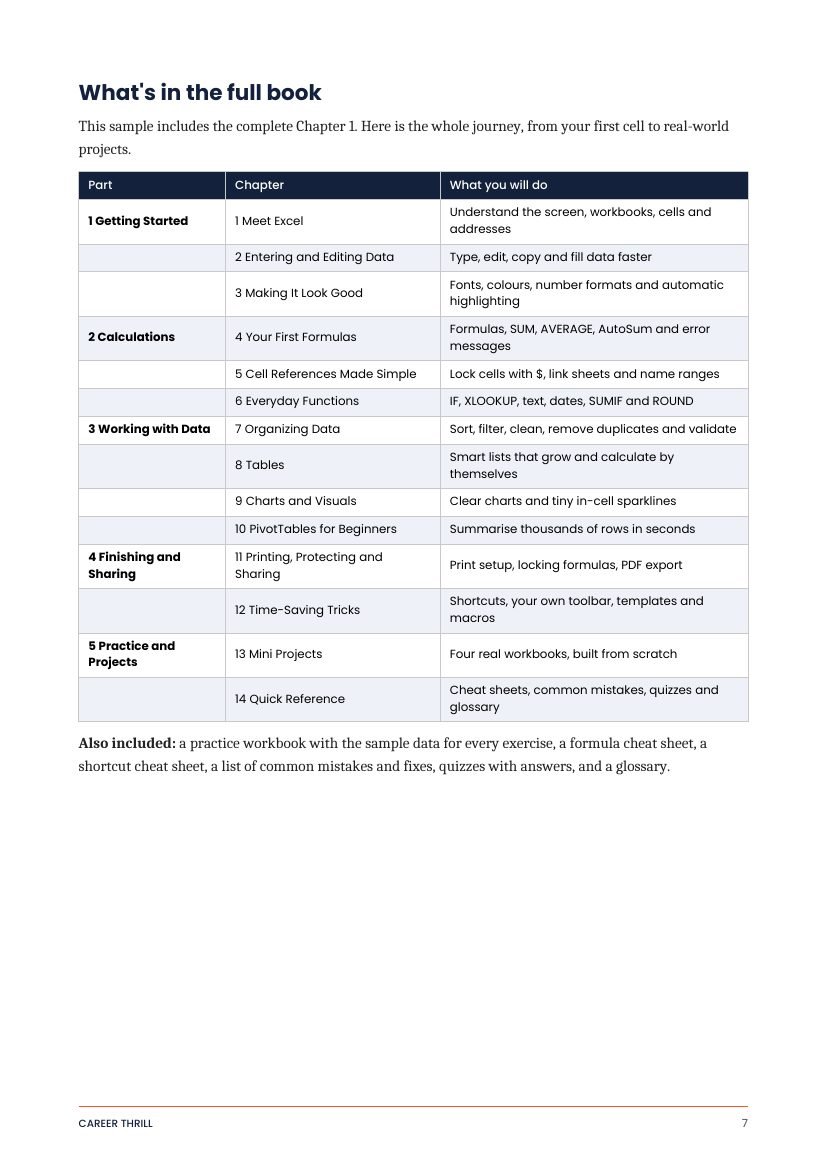
14 chapters in 5 parts.
| Part 1: Getting Started | ||
|---|---|---|
| 1 | Meet Excel | p. 14 |
| 2 | Entering and Editing Data | p. 23 |
| 3 | Making It Look Good | p. 32 |
| Part 2: Calculations | ||
| 4 | Your First Formulas | p. 42 |
| 5 | Cell References Made Simple | p. 52 |
| 6 | Everyday Functions | p. 62 |
| Part 3: Working with Data | ||
| 7 | Organizing Data | p. 76 |
| 8 | Tables | p. 90 |
| 9 | Charts and Visuals | p. 101 |
| 10 | PivotTables for Beginners | p. 113 |
| Part 4: Finishing and Sharing | ||
| 11 | Printing, Protecting and Sharing | p. 127 |
| 12 | Time-Saving Tricks | p. 138 |
| Part 5: Practice and Projects | ||
| 13 | Mini Projects | p. 151 |
| 14 | Quick Reference | p. 164 |
The same five steps, every time.
A short story
A real-life situation that shows why the tool matters.
Plain explanation
What it is and how it works, without jargon.
A picture
What to expect on your screen, so you know you are on track.
Hands-on exercise
Type along, make mistakes, check the answers.
Each chapter ends with Quick Check questions so you can see what stuck.
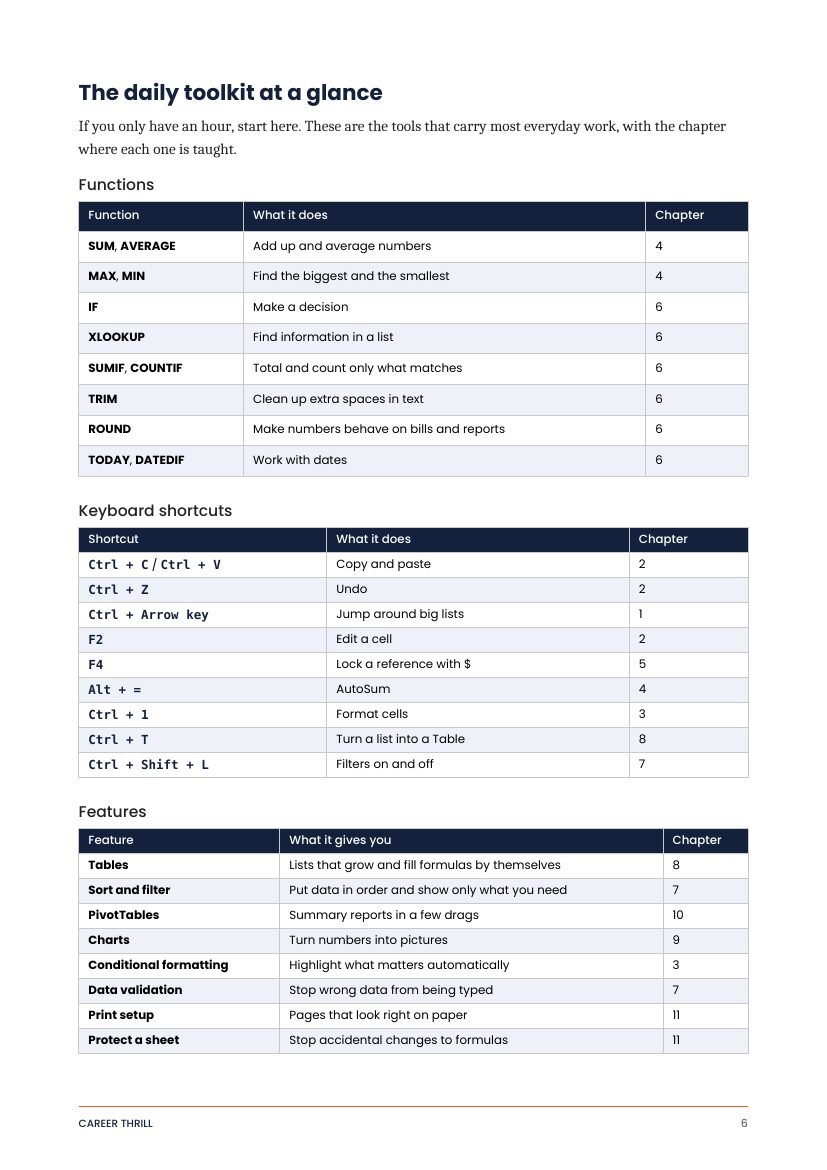
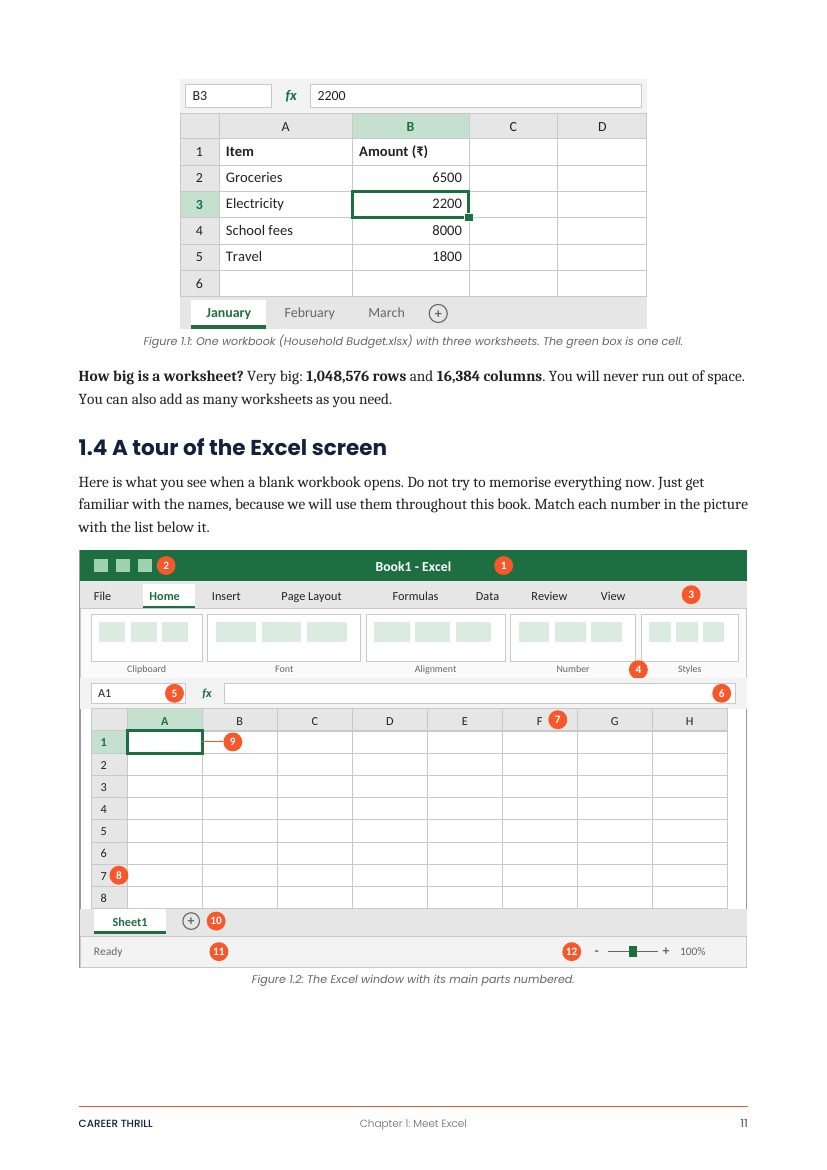
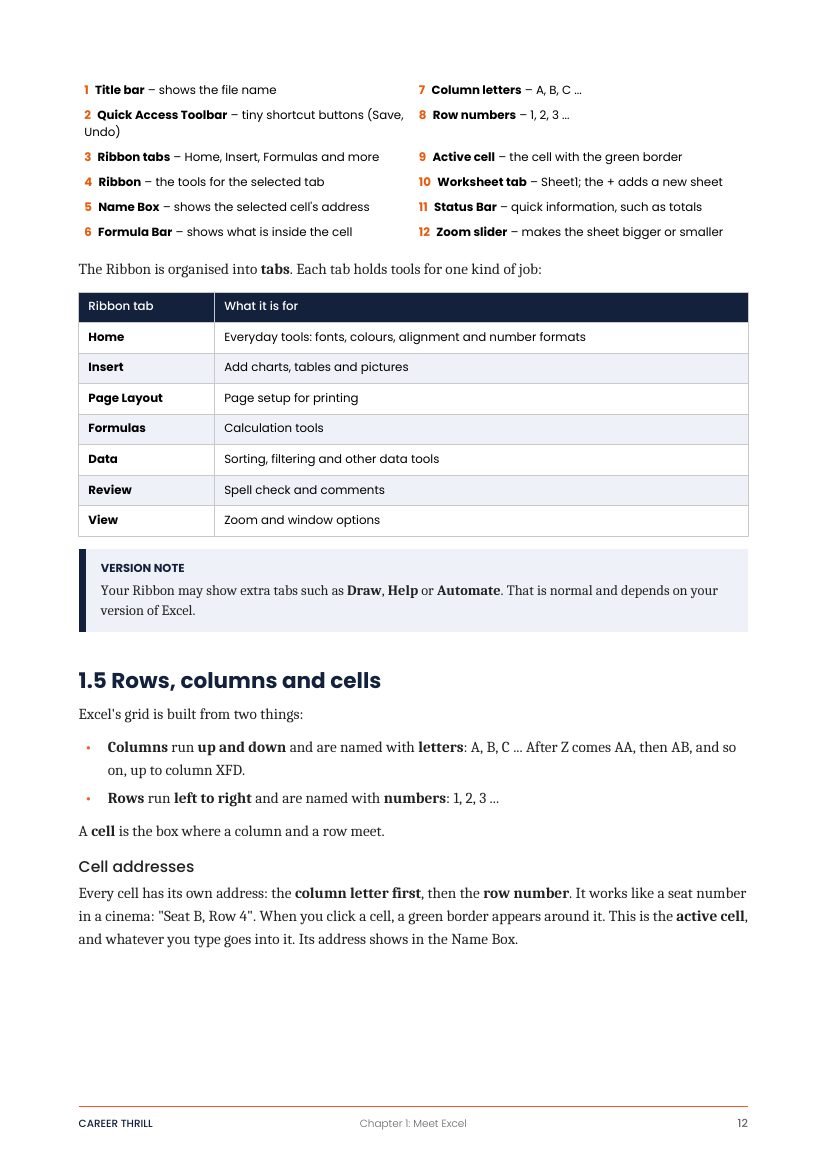
A few pages from the book.
Practise on the same data as the book.
One Excel file with 15 sheets of sample data for the chapters and mini projects. It contains data only, so you build the formulas yourself, and that is where the learning happens.
- Expenses, marks, prices, bills and sales lists
- A deliberately messy register to clean up
- Budget, stock, attendance and quiz data for the mini projects
Not sure yet? Read Chapter 1 first.
19 pages: front pages, an overview of the book and the complete first chapter.
A good fit if you…
- Are new to Excel, or use it without really understanding it
- Are a student, job seeker or office beginner
- Run a small shop or keep household accounts
- Like learning by typing along
Probably not for you if you…
- Already write formulas and PivotTables comfortably
- Want advanced topics such as macros, VBA or Power Query
- Use Excel on a Mac and want Mac-specific steps
Written by someone who uses Excel daily.
Career Thrill is run by a working professional with 7+ years of Excel in everyday office work. The book covers the tools used most often, explained the way a patient colleague would explain them.
Quick facts.
| Title | What I Use in Excel Every Day |
|---|---|
| Edition | First edition, 2026 |
| Format | PDF ebook, 176 pages |
| Includes | Practice workbook (Excel file, 15 sheets, data only) |
| Written for | Microsoft 365 on Windows. Mostly works in Excel 2021 and 2024. |
| Delivery | Download link after payment. See the Delivery Policy. |
| Price | ₹300 launch price, regular price ₹449 |
Frequently asked.
Which version of Excel do I need?
Does it work on a Mac?
Is this for complete beginners?
What format is the ebook, and how do I receive it?
What is in the practice workbook?
Can I read a sample first?
What if it is not right for me?
Is this connected to Microsoft?
Ready to start?
Read the sample first, or get the full book now. Educational content. Results vary. No guarantees.
Independent publication, not affiliated with Microsoft.